Real pages for your pen.
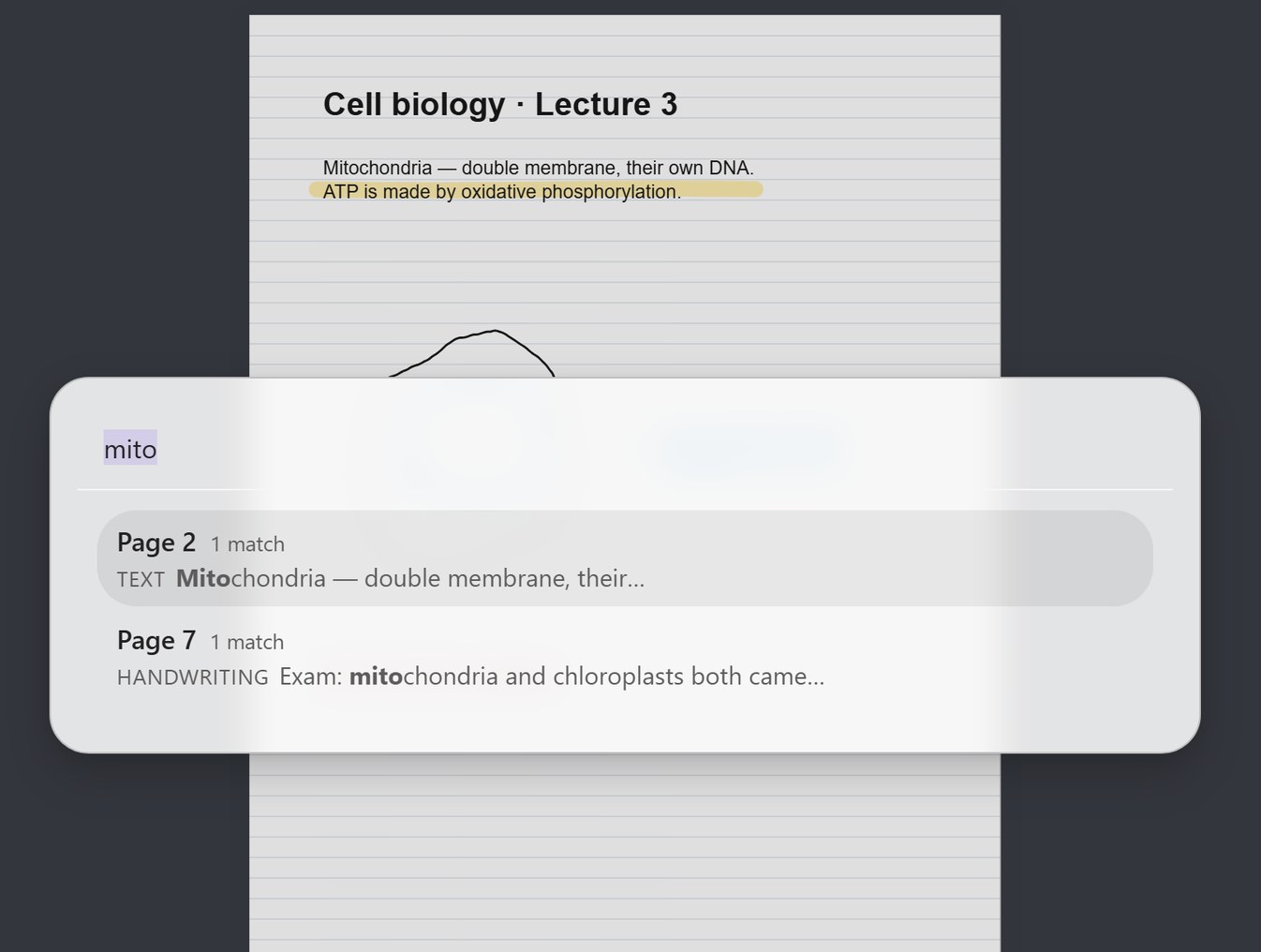
FineNotes adds handwritten notebooks to Obsidian, the free notes app, on your iPad, Android tablet or pen tablet. You write on real pages, and search finds your handwriting.
Join 1,149 people who have downloaded FineNotes.
- Free, open source
- Apple Pencil & any pen
- Plain files you own
The handwritten question 'Still paying for a notes app?' is scribbled out and erased. Then the FineNotes notebook with its page sidebar, the cover and paper pickers, a hand-drawn star that snaps to a clean star, and a search that finds a handwritten word. It ends on: Free, in Obsidian's Community plugins, for Apple Pencil, Android pens and pen tablets.
FineNotes started as a personal project because I was tired of all the paid note-taking apps on the App Store, such as Goodnotes and Notability … I was also tired of companies being the ones responsible for keeping your notes in their cloud, something that Obsidian fixes.
Joost, creator of FineNotes
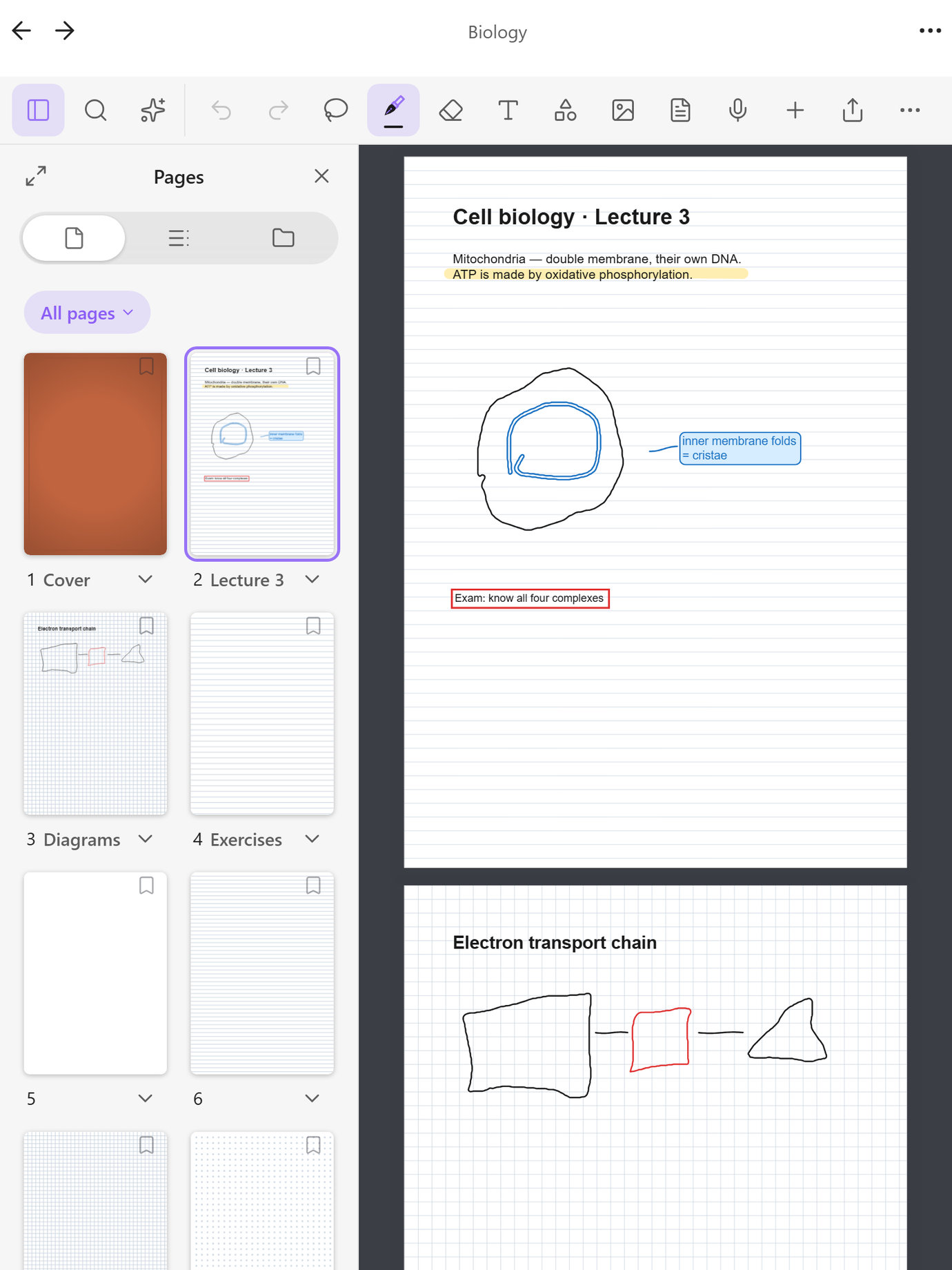
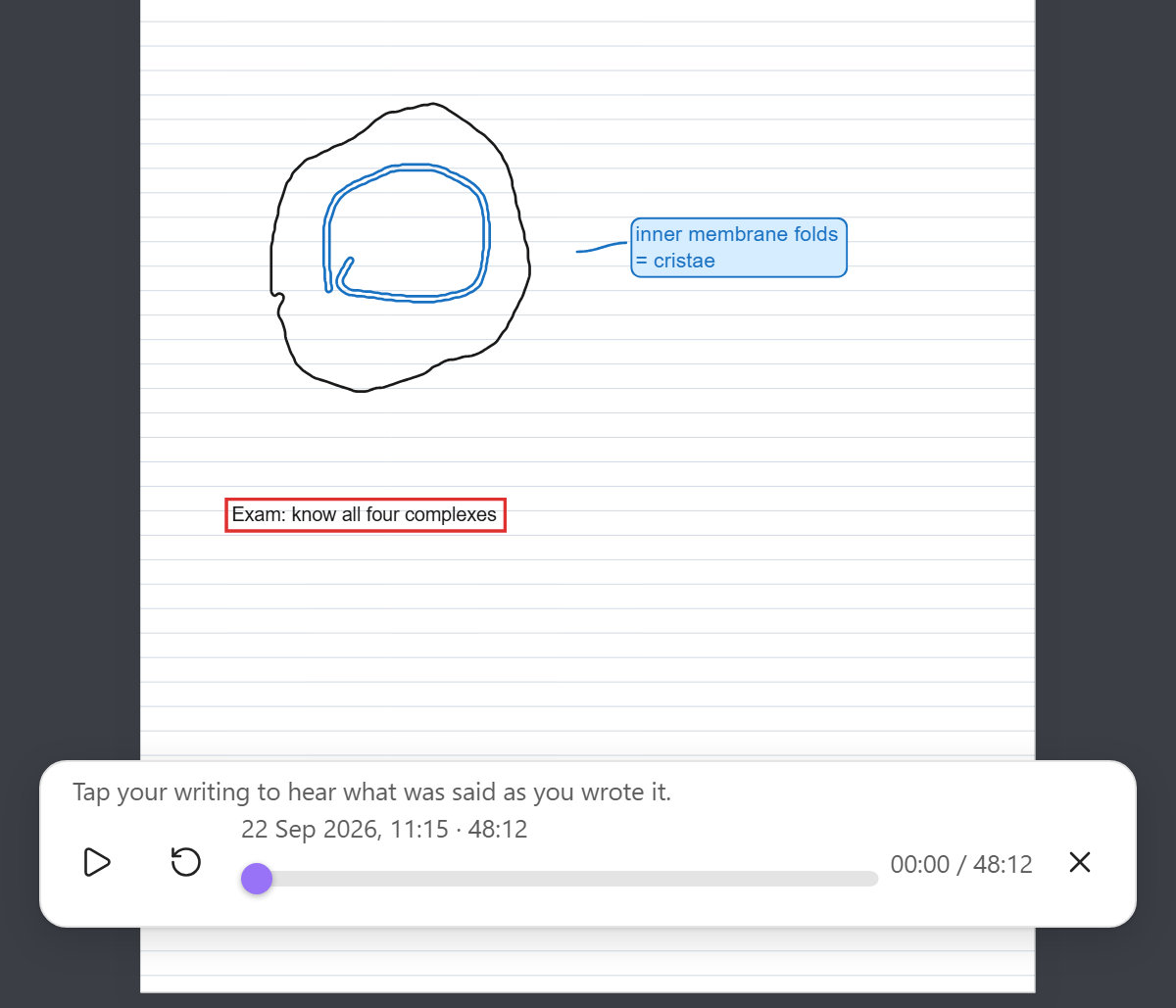
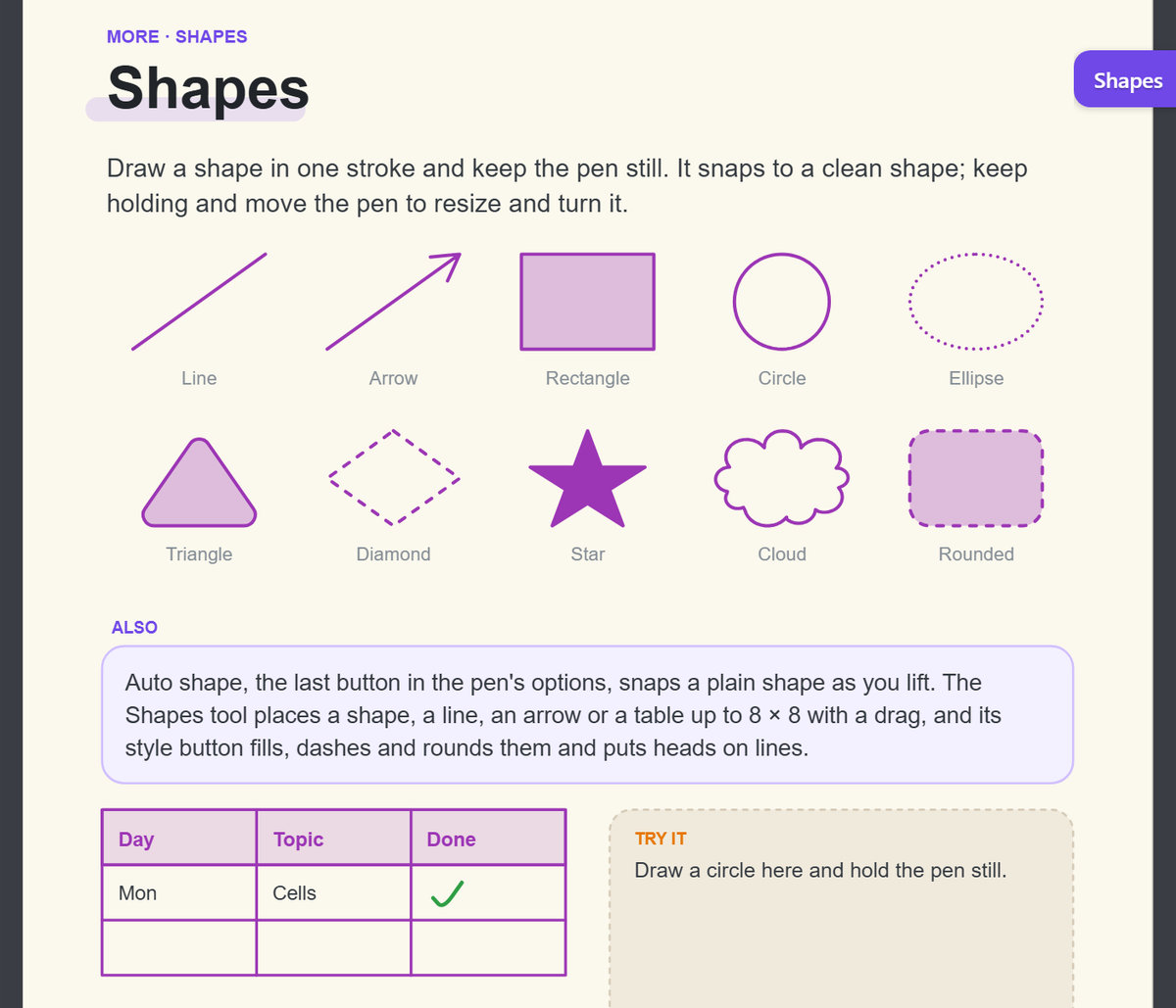
A look inside FineNotes.
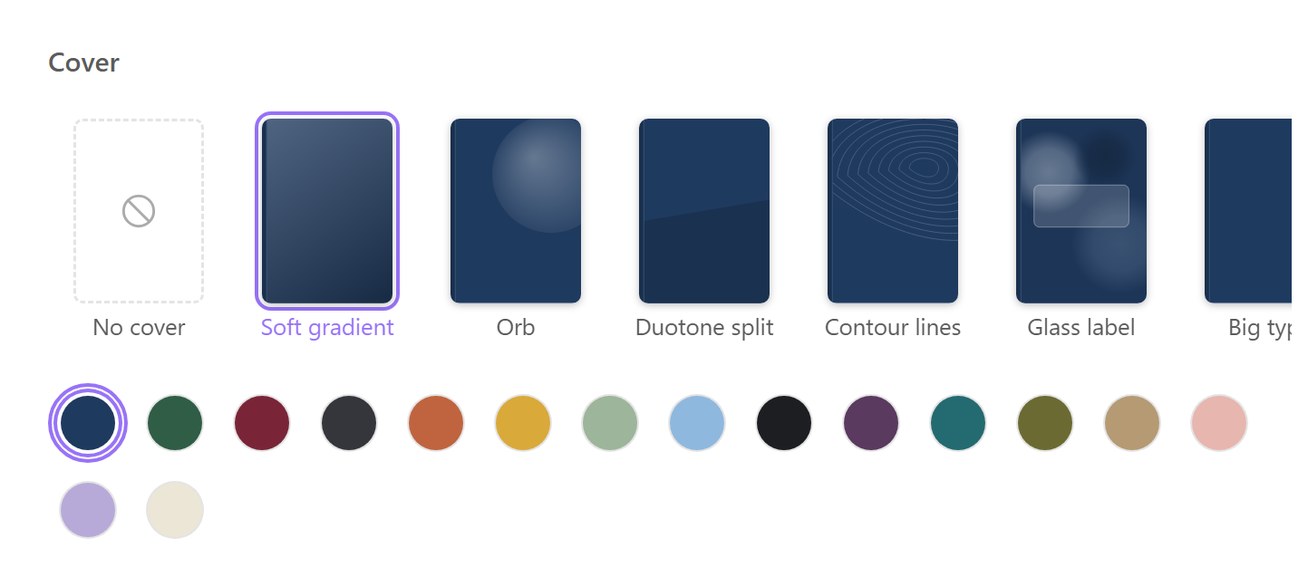
FineNotes 2.3's own views, drawn by its code. The biology notebook and its search results are sample data, and the Shapes page is from the built-in welcome tour. Tap or click one to see it full size.
Install. Then write.
Four steps from a fresh tablet to your first page. You need Obsidian 1.13 or later, and no account.
Get FineNotesGet Obsidian
Install Obsidian, the free notes app, and create a vault (any name will do). In its Settings, turn on Community plugins, then tap Browse.
New notebook
Pick a cover, a paper and a size, or import a notebook from another app.
Write
There is no save button: every stroke goes into a plain file in your Obsidian vault as you write.
Try FineNotes.
This is the real FineNotes, running in your browser on its welcome notebook. Write with a pen, mouse or finger, hold a shape still to snap it, scribble to erase, and open the pages on the left. Nothing leaves your browser.
Open full screenAI, audio recording and PDF import need Obsidian, so they only work in the plugin.
Switching from Goodnotes.
What people wrote on FineNotes' GitHub, in their own words. Tap a quote to read it there.
-
“I've been loving FineNotes so far, and all the features are so convenient to use, especially with how the layout is close to Goodnotes, it made to switch from using it to this so much easier! Also just wanted to say thank you for creating this plugin, I really enjoy and appreciate it!”
 @pasttonicGitHub Discussions
 -
“First of all: a great plugin! I am amazed and love to use it.”
 @HKohlhoffGitHub Issues
 -
“First of all, thank you for creating FineNotes! … Thanks again for your great work!”
 @rrajevanGitHub Discussions
 -
“Thank you so much for all these features and this plugin.”
 @nitin-dixitGitHub Issues
 -
“Thank you very much for your good work on this plugin.”
 @thierryramaGitHub Issues
1,149downloads and counting
Join them.
Free in Obsidian: Settings → Community plugins → search “FineNotes”.
Questions, answered.
Something else? Ask in GitHub Discussions.
Yes. FineNotes is free and open source under the GNU General Public License v3.0 or later, with no account and no ads. Only the optional cloud AI features need an API key from an AI provider, which may charge for it.
Apple Pencil on the iPad, Android tablets with a pen such as the S Pen, and pen tablets or pen screens on Windows, macOS and Linux. A mouse, trackpad or finger works too, and it runs on a phone. It is tested most on the iPad; Android and Linux have had less testing so far.
Most handwriting plugins for Obsidian give you an endless canvas. FineNotes gives you pages with a fixed size, as Goodnotes does, so your ink stays exactly where you wrote it on an iPad, a phone and a laptop, whatever the width of the window.
In your Obsidian vault, as plain files you own. Sync them with Obsidian Sync, iCloud, Syncthing or anything else that syncs a folder. Each notebook is a Markdown file with its ink in a compressed block; without FineNotes its text still opens, but the ink needs the plugin.
Yes, in beta. The importer reads Goodnotes, Notability, Noteful, Xournal++, Saber, reMarkable, Supernote and FreeNotes exports (Supernote handwriting comes over as a picture of each page), and any app's PDF, whose ink and highlight annotations become ink you can edit. The files you import from are not changed; check the notebook afterwards.
No. Grape, FineNotes' own handwriting model (in beta), reads your writing on your device, with no account; what you write is not sent anywhere. Cloud AI is optional and only runs with an API key you add yourself.
Say hello.
Questions, ideas or a bug? Open a discussion or an issue on GitHub; bug reports and ideas are welcome.
- Ideas and questionsStart a discussion on GitHub: an idea, a question, or what you would like next.
- Report a bugOpen an issue on GitHub. For an iPad problem, a screen recording with the input debug overlay switched on helps most.
- Source codeFineNotes is open source under the GPL v3.0 or later. Read the code, follow the releases or contribute.